Privacy — Private & Restricted
A submittal has two independent visibility modes. Both are one-way toggles — once enabled, they cannot be undone.
| Mode | What it controls |
|---|---|
| Private | Who can see the submittal itself |
| Restricted | Whether the Creator can see the review discussion between the Assignee and the Third-Party Approvers |
The two modes are independent — a submittal can be Private, Restricted, both, or neither.
Private mode — who can see the submittal
A submittal has two visibility levels:
| Level | Who can see it |
|---|---|
| Public (default) | Everyone in the project with the appropriate permissions |
| Private | Only directly involved users: the Creator, the Assignee, Third-Party Approver members, and Distribution members |
To everyone else a Private submittal is hidden as if it does not exist — even users with global read permissions cannot see it.
Where to set it:
- At creation — the Private toggle at the top of the Create Submittal panel.
- On an existing submittal — the privacy control on the detail panel's social card (a one-time confirmation is required).
- Per action — every action dialog has its own Private toggle in the header:
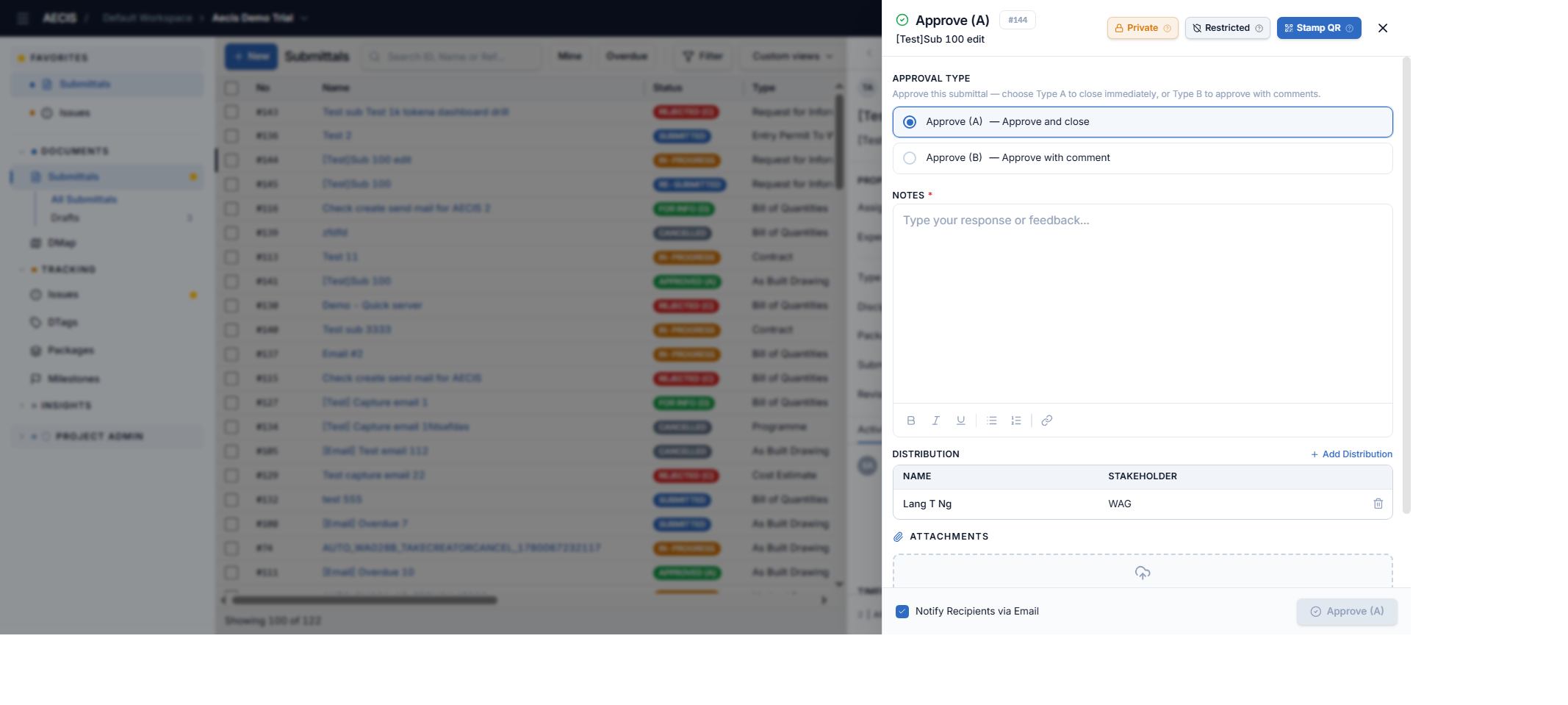
:::warning One-way Once a submittal is marked Private, it cannot be reverted to public. :::
Restricted mode — hiding the review discussion from the Creator
The Assignee (or a Third-Party Approver) can enable Restricted when performing an action — for example while approving, rejecting, or issuing to a reviewer:
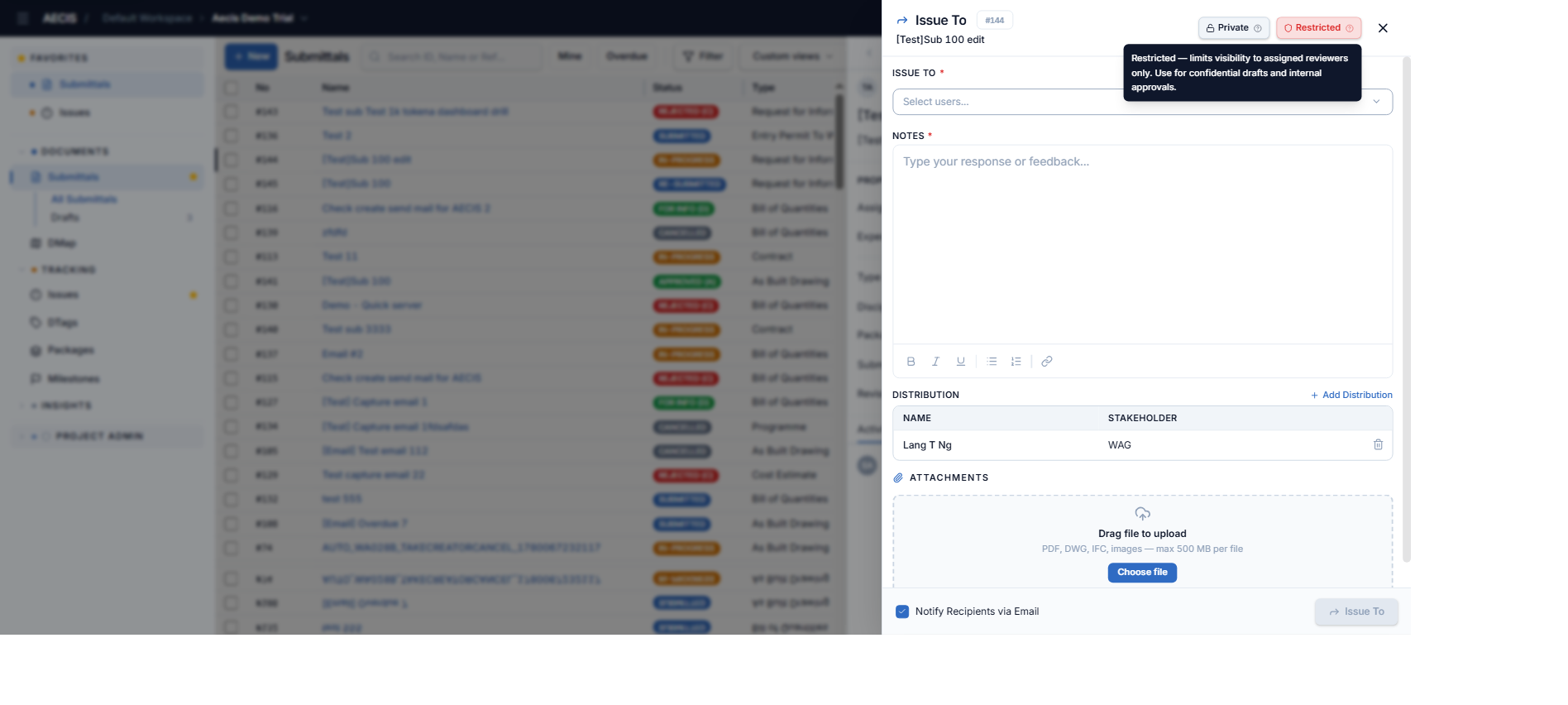
Once Restricted is enabled:
- Activities and emails exchanged between the Assignee and the Third-Party Approvers are hidden from the Creator — they do not appear in the Creator's timeline, and the Creator receives no email notifications for those discussions.
- The Creator still sees final decisions directed to them — Approve, Reject, and For Info outcomes.
- The Assignee and Third-Party Approvers always see all activities and emails.
:::warning One-way Once Restricted mode is enabled, it cannot be reverted. :::
Visibility summary
| Role | Can see a Private submittal? | Restricted mode — activity visibility |
|---|---|---|
| Creator | ✅ Yes | ❌ Cannot see activities between Assignee & Third-Party Approvers |
| Assignee | ✅ Yes | ✅ Always sees all activities |
| Third-Party Approver members | ✅ Yes | ✅ Always sees all activities |
| Distribution members | ✅ Yes | ❌ May be excluded from specific activities |
| Other project members | ❌ Hidden | ❌ No access |