Package Module — Overview
Packages are the project's work packages — named scopes of work such as Foundation Works, Structural Steel, or MEP Rough-In, each with a short abbreviation. Issues and submittals can be assigned to a package so records can be grouped and filtered by scope.
The Package module manages which packages are active on the project. You will find it in the Tracking group of the navigation sidebar.
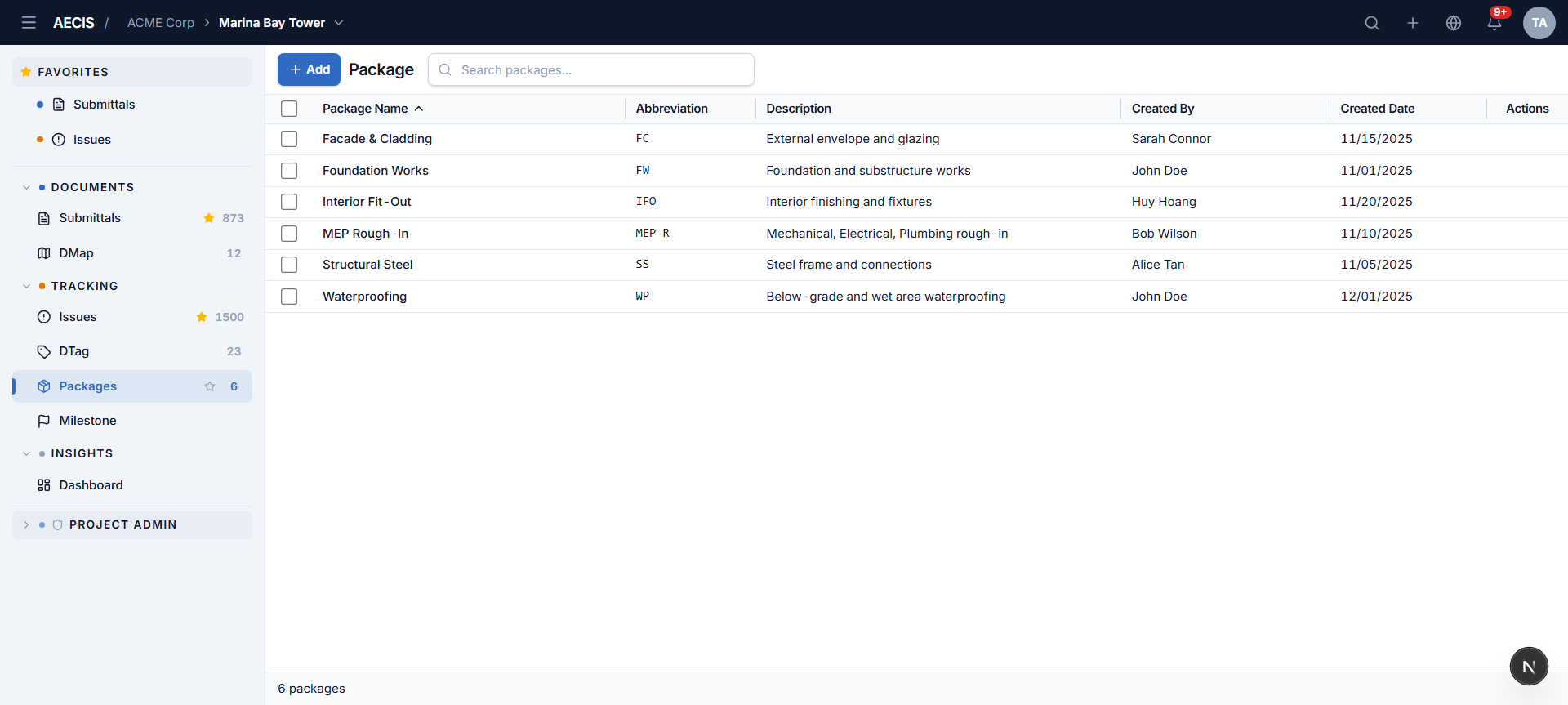
The list
| Column | Meaning |
|---|---|
| Package Name | The package's name (sortable) |
| Abbreviation | Its short code, e.g. FW, MEP-R |
| Description | A brief description of the scope |
| Created By / Created Date | Who created the package and when |
| Actions | Hover a row to reveal Remove |
The search box filters the list in real time, and the footer shows the total count. Row checkboxes allow selecting several packages at once.
Where packages are used
- Create Issue / Submittal — the optional Package field assigns the record to a work package.
- Filters — the Issue and Submittal filter panels include a Package condition.
- Bulk Edit Fields (Issue module) — change the package of many issues at once.
See Managing Packages for adding and removing packages.