Working Offline & Sync
This is the mobile app's most distinctive capability, and it has no equivalent on the web. Everything you do on site — creating, commenting, actioning — is stored durably on the device and sent automatically when connectivity returns. Nothing is lost if you close the app, and nothing blocks you while the signal is gone.
Creating offline — capturing a defect on the DMap
Because every issue starts from the DMap, losing signal changes nothing about how you capture a defect: open the drawing, tap the position, and fill in the form exactly as usual.
What happens behind the scenes:
- A draft pin is placed on the drawing straight away, so the location is visible to you immediately.
- The issue is saved to the send queue, with its attachments stored locally.
- The issue completes only after its files finish uploading once you are back online.
- While it is queued, the app uses a temporary internal identifier; the official
#numberarrives from the system at sync time. - If you delete the draft, the draft pin is removed from the drawing too — no orphan pins left behind.
Actioning offline
Actions are queued, not applied. An action does not change the issue's status on your device immediately — instead you see:
- A read-only line on the timeline with a Queued label.
- A status banner at the top of the detail screen.
A queued action moves through these states: pending → sending → waiting-on-dependency → failed / conflict / synced.
| Banner | Appearance | What you can do |
|---|---|---|
| Syncing | Muted, no buttons | Wait — the action is on its way |
| Failed (network) | Red | Retry or Discard |
| Conflict (the issue changed while your action was queued) | Red | Discard only — retrying would keep conflicting; refresh the issue and redo the action |
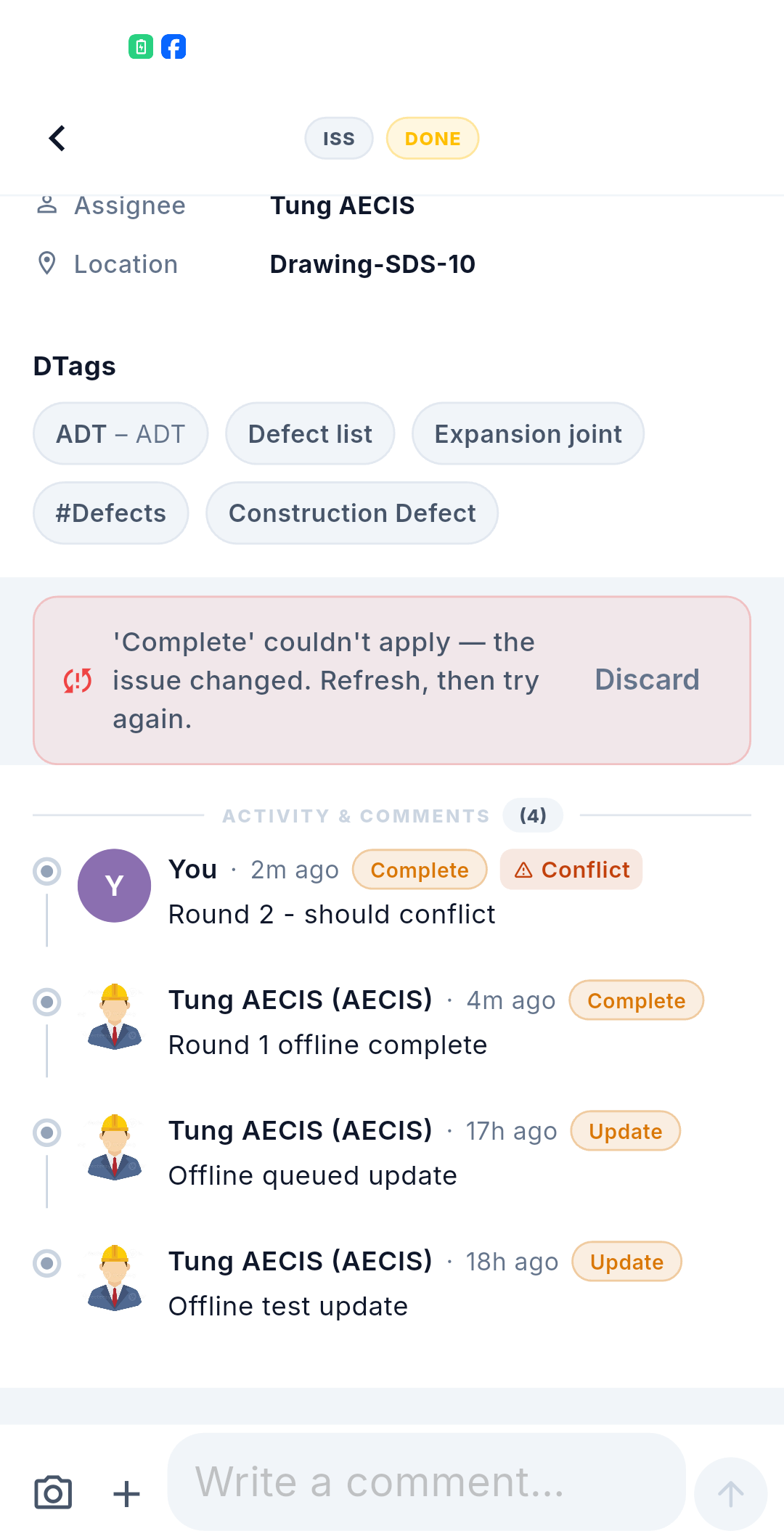
The banner names the action that failed — for example "'Complete' couldn't apply — the issue changed. Refresh, then try again." — and the timeline entry carries a Conflict badge next to your queued action.
:::caution One action at a time While an action is queued for an issue, the ⋯ menu is replaced by a "waiting to sync" notice. This stops you stacking a second action on top of a status the system has not confirmed yet. Once the action is sent, the next refresh shows the system's official activity record and the menu returns. :::
Commenting offline
Comments appear instantly with a Queued label. Adding, editing and deleting comments are all stored locally and merged into the system's timeline on sync. A comment that fails to send shows a retry button.
You can reply to a comment that has not synced yet — the thread is preserved.
Discarding a queued action
Discarding does not have to mean losing what you typed. The confirmation offers three ways out:
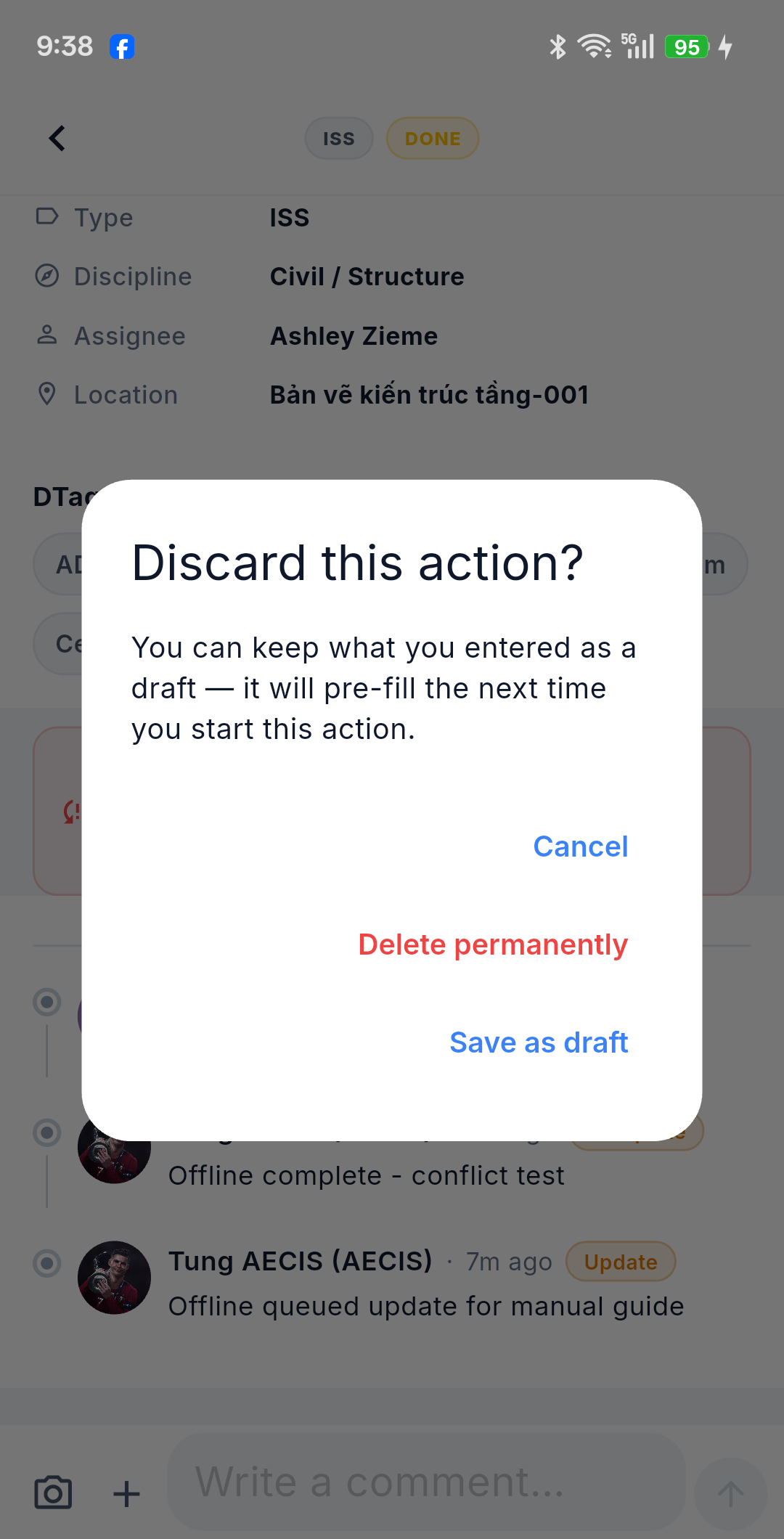
| Choice | What happens |
|---|---|
| Cancel | Keeps the queued action as it is |
| Save as draft | Removes it from the queue but keeps what you entered — it pre-fills the next time you start that action |
| Delete permanently | Drops the action and its content for good |
After a conflict, Save as draft is usually what you want: refresh the issue, read what changed, then start the action again with your note and attachments already in place.
Reading offline
The issue list, detail screens and timelines are cached on the device for viewing and filtering without a connection. A footer reads "Showing cached data — offline" so you always know you are looking at a snapshot.
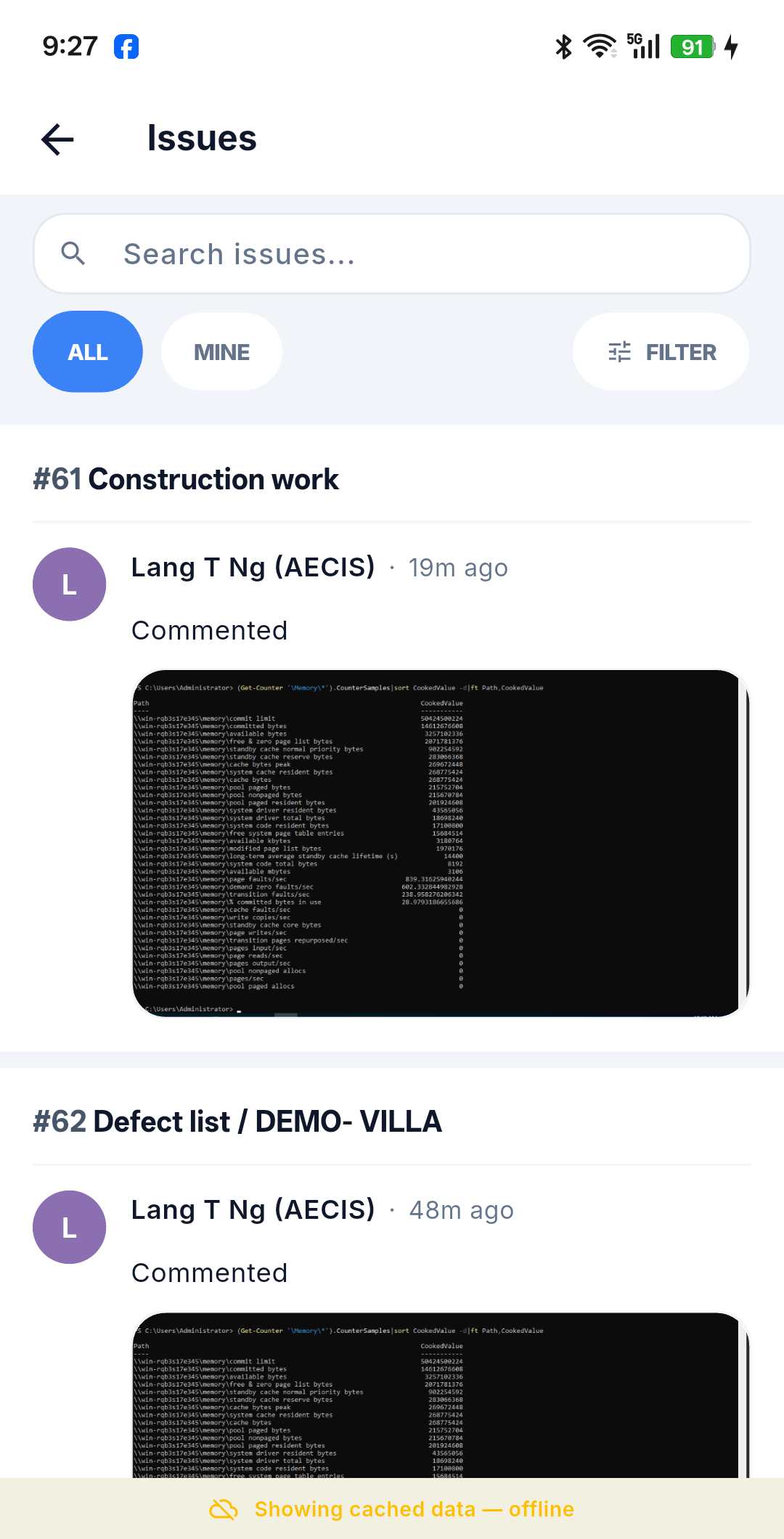
See Filter & Search for what offline search and filtering cover.
Refreshing the cache never overwrites content that has local unsynced work — your queued items are safe from a background refresh.
An issue that was never cached
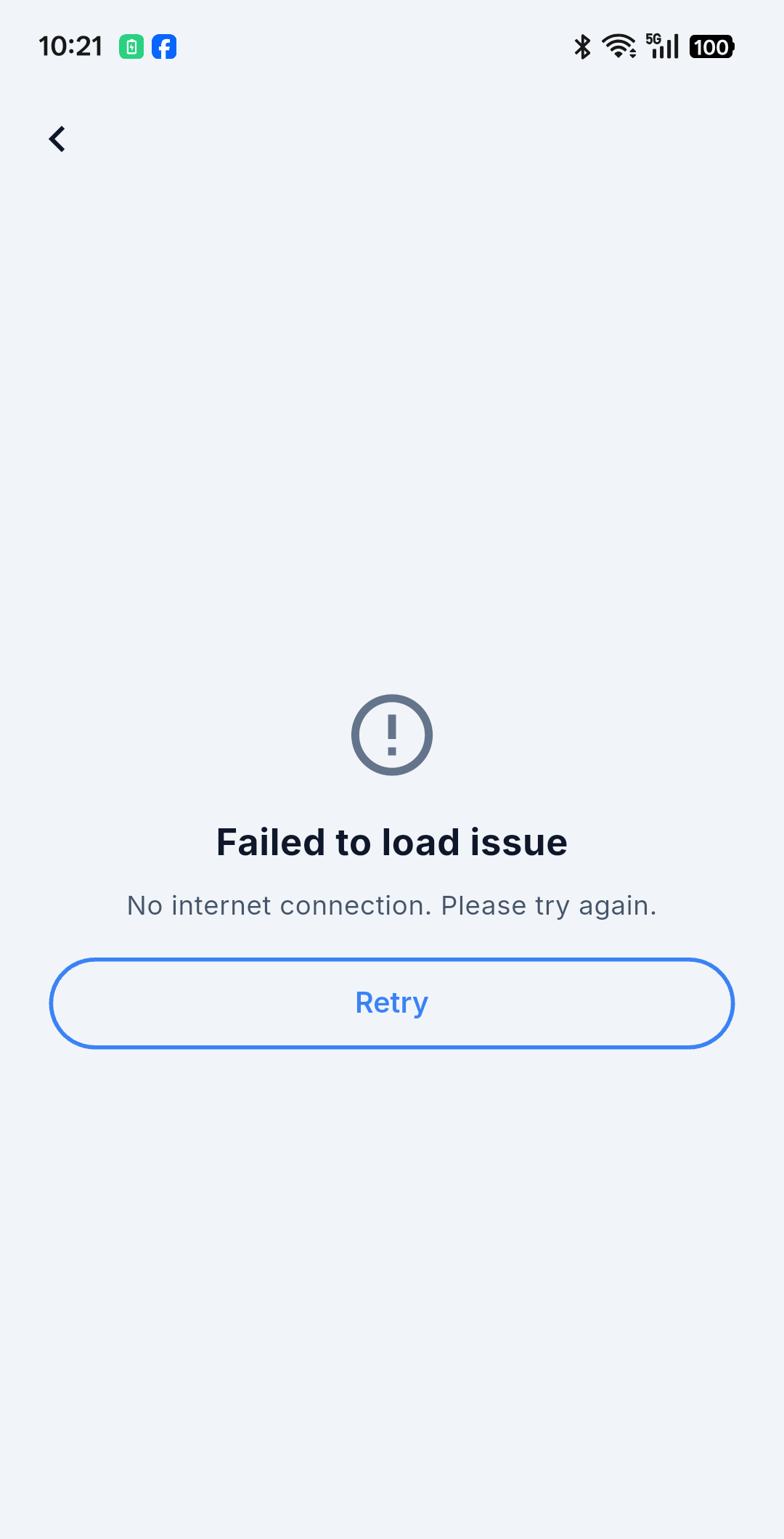
You can only read what the device already downloaded. Opening an issue that is not in the cache while offline shows "Failed to load issue — No internet connection" with a Retry button; it will load once you are back online.
Protection against overwriting someone else's change
When your action is sent, the system checks whether the issue was changed by somebody else since you opened it. If it was, the action is reported as a conflict and cannot be retried — refresh the issue, read what changed, and redo your action.
:::note Known limitation The issue detail data does not yet return the most-recent modified timestamp. Until that is added, the overwrite safeguard for actions started offline is weaker than for actions taken online. This is a known, accepted gap on the roadmap.
Conflicts are resolved by discard and redo — there is no automatic merge. What you typed need not be lost, though: discarding lets you save the action as a draft first (see above). :::
The screen corrects itself
The detail screen watches the local queue and refreshes the timeline on its own. As items are sent, the Queued labels, the pending-action lines and the list of available actions update themselves — you do not need to reload anything.
Turning offline mode on yourself
You do not have to wait for the signal to drop. The app has a manual Offline Mode switch, plus a set of screens for watching and controlling the queue — see Offline Mode & Sync Management.
What stays on the device
Kept locally, per device and project, and never synced to the system or the web:
- Drafts of unsubmitted create forms, including copies of their attachments.
- Saved filters.
- Prefilled suggestions — the classification and assignment values from the last issue you created.