The Issue List
On mobile the issue list is a single-column, edge-to-edge card list — not the dense table you see on web. Each issue is one card, sized to be read and tapped with one hand.
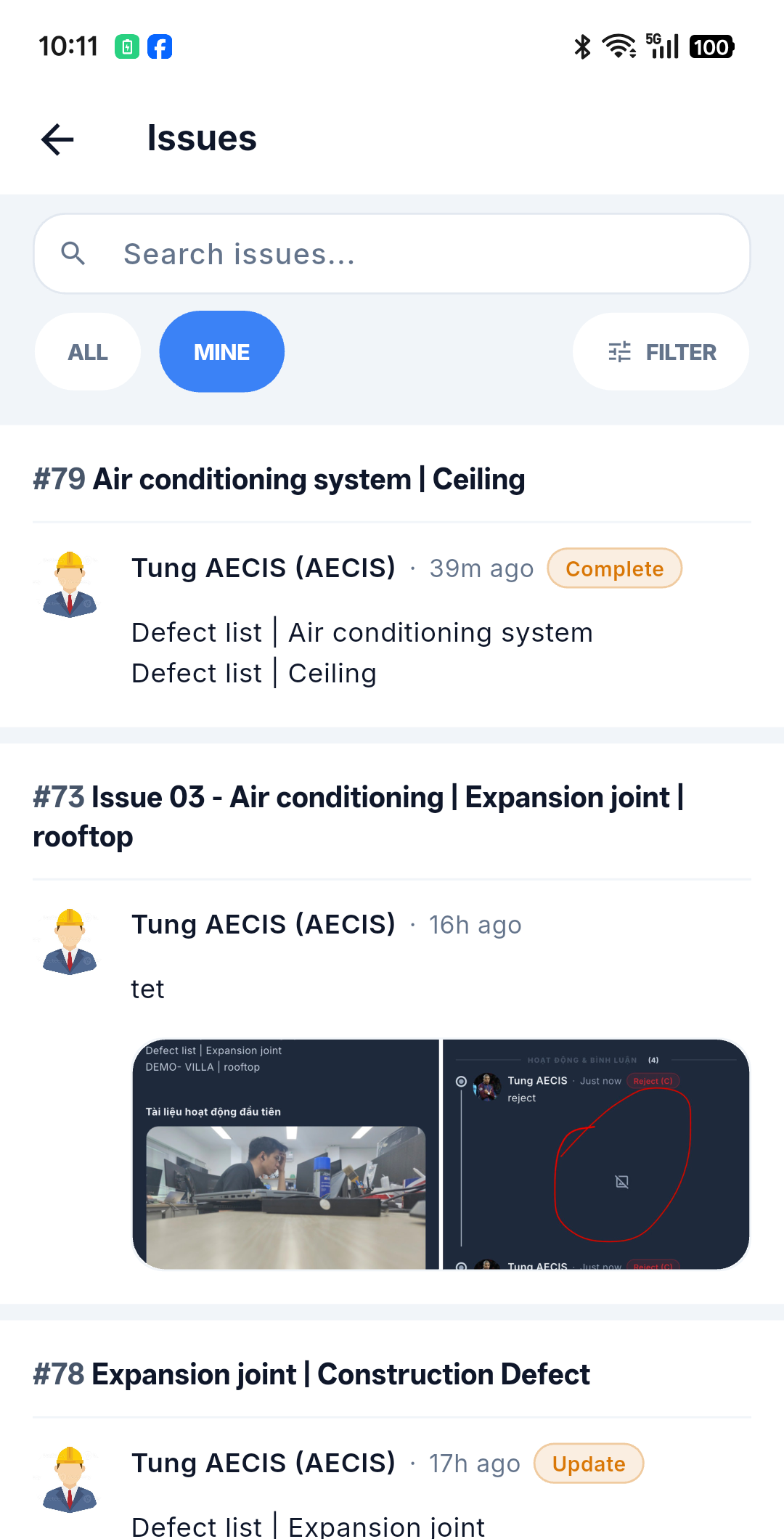
What a card shows
- Issue number and title.
- Latest activity — the actor's avatar, their name and stakeholder abbreviation, and a relative time (for example 2 h ago), with a color-coded action label such as Reopened.
- Content — the latest comment or note; if there is none, the issue description.
- Attached images as a thumbnail grid, and a document tile for files.
Tap anywhere on the card to open the detail screen.
:::note There is no "new issue" button here Issues are created from a pin on a DMap, not from this list — see Create an Issue. :::
:::note Deliberately not on the card The status badge is intentionally hidden on the card to keep the list compact and scannable — as are the type icon, assignee, due date, overdue flag, and counts. There is also no total count at the bottom, no column management, no multi-row selection, and no sort option (the order is fixed). All of these remain available on web. :::
Moving through the list
- Pull down to refresh the list.
- Scroll to the bottom to load the next page automatically.
- When new or updated matching issues arrive, a "new items" button floats over the list instead of reloading under your finger. The list only changes when you tap it — so you never lose your place mid-scroll.
Quick tabs
Two quick groups sit above the list:
| Tab | Shows |
|---|---|
| All | Every issue you can see in the project |
| Mine | Issues where you are the creator or the assignee |
The web's Open and Overdue quick groups are not available on mobile. Which record type the list shows (Issue / Submittal / Drawing) is decided when you open the list, not by an in-page switcher.
Reading the list offline
The list, the detail screens, and the timelines you have already opened are cached on the device. With no signal you can still browse, search, and filter what was downloaded — see Filter & Search and Working Offline & Sync.