Attachments & Media
Capturing evidence is what the phone is for. Attachments can be added on the create form, in any action form, and on comments.
Sources
| Source | Behaviour |
|---|---|
| Camera | Multi-shot capture inside the app — take several photos in a row and attach them all at once, without leaving the form |
| Photo gallery | Multi-select. Each photo is processed in the background into a suitable format, to save memory and make sure it displays correctly on web |
| Files | A general document picker — PDF, Office documents and so on. Images picked here are routed into the photo grid |
| Video | Pick or record one video. It attaches immediately but uploads in the background |
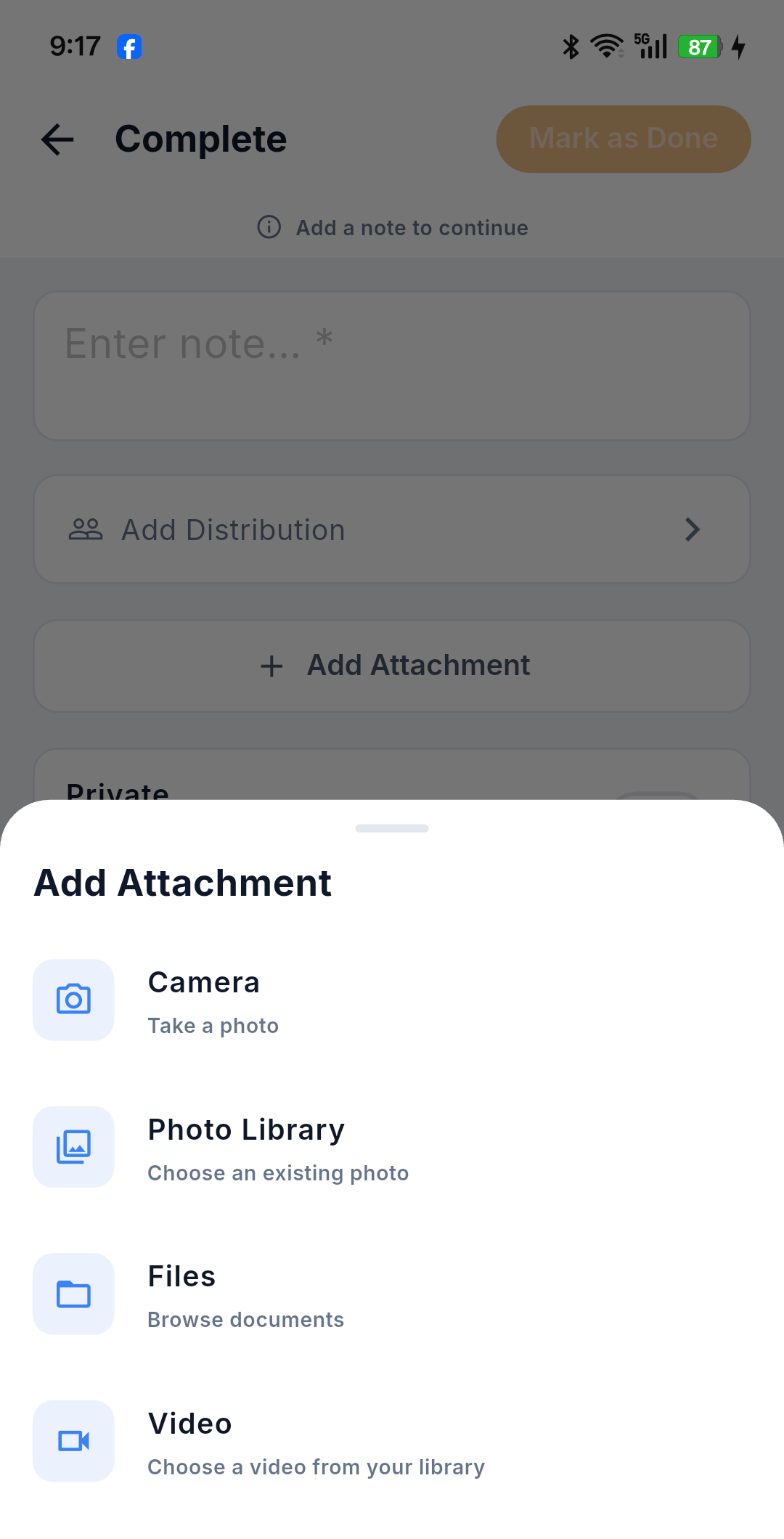
Photo processing
Photos chosen from the gallery are converted in the background. While that is happening, the submit button is temporarily disabled — wait a moment and it re-enables itself.
Video upload
A video is attached to the form straight away, but its upload continues in the background with a "processing in background" label. You get a separate success message once the upload finishes, so you can carry on working in the meantime.
Markup
Tap an attached file to open the viewer, then mark it up — annotate the photo to point at the defect. The markup is saved in place, over the attached file.
Not available on mobile
- Selecting an existing project document to attach — web-only, in both the create and the action forms.
- Drag and drop — not applicable on a touch interface.
Attachments and offline
Attachments captured offline are stored on the device with the queued item. A queued issue is only complete once its files have finished uploading after connectivity returns — the app handles this automatically. Drafts also store copies of their attachments, so a restored draft still has its photos. See Working Offline & Sync.