Filtering Pins
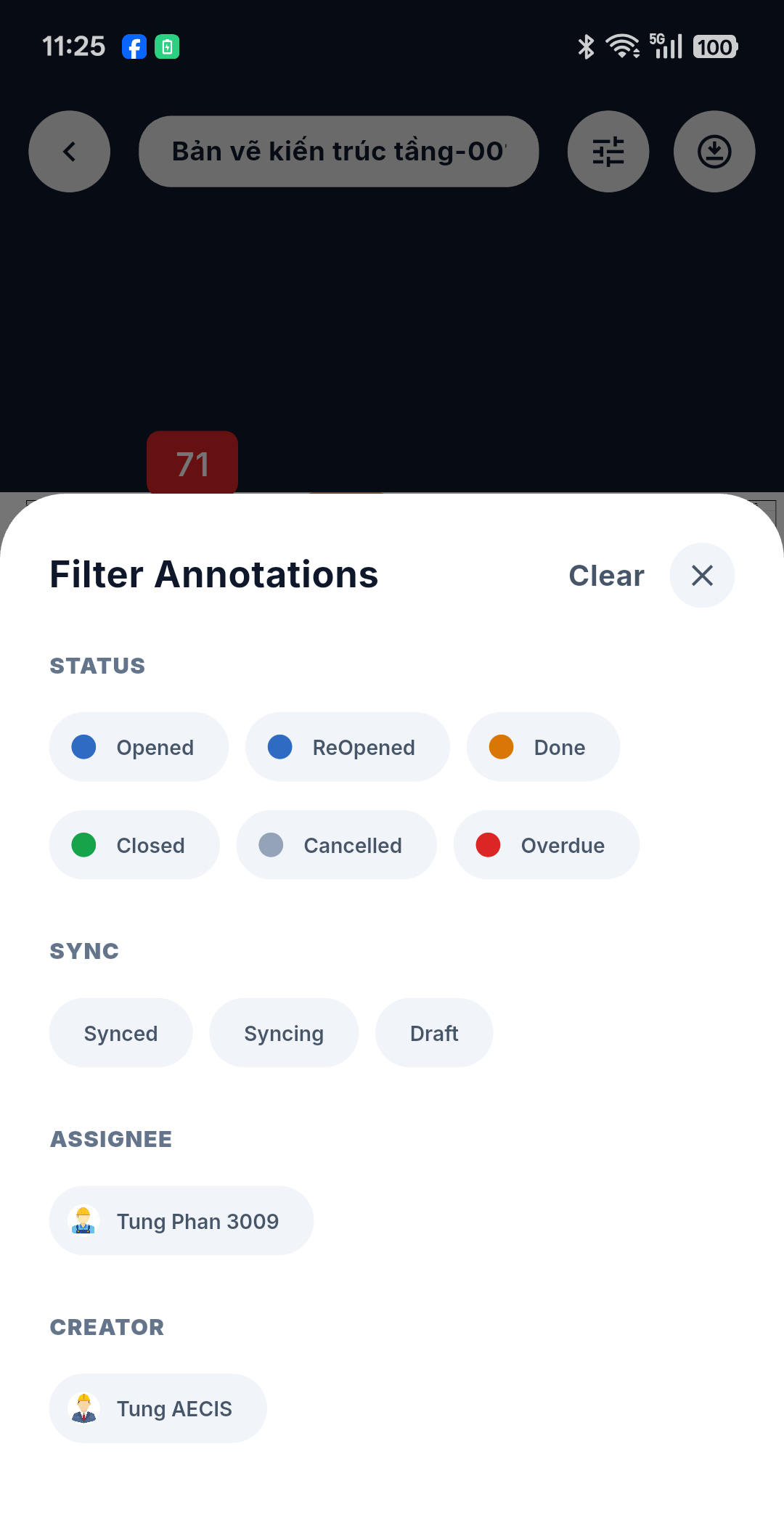
A busy DMap can carry dozens of pins. The Filter pins button in the floating header opens a bottom sheet that narrows them down; a dot on the button reminds you when a filter is on.
Criteria
| Criterion | Detail |
|---|---|
| Status | Chips, each colored by its status — the same palette as the pins themselves |
| Sync | Synced / Syncing / Draft — useful for checking what is still waiting to go out |
| Assignee | Built from the people actually present in the data |
| Creator | Same — hidden when there is nobody to choose |
Criterion groups combine with AND: a status plus an assignee shows only the pins matching both. Clear resets everything.
:::note Object type is locked There is a type criterion, but it is fixed to Issue — the only object type currently supported on DMaps. :::
Using it well
- Sync → Draft answers "did everything I captured this morning actually go out?" at a glance.
- Status → Overdue turns the sheet into a walk list for the day.
- Assignee = you on a DMap you have downloaded in Review mode gives you your own workload on that floor, readable with no signal.