Settings
Click the Setting button (gear icon) in the page header to open the settings dialog:
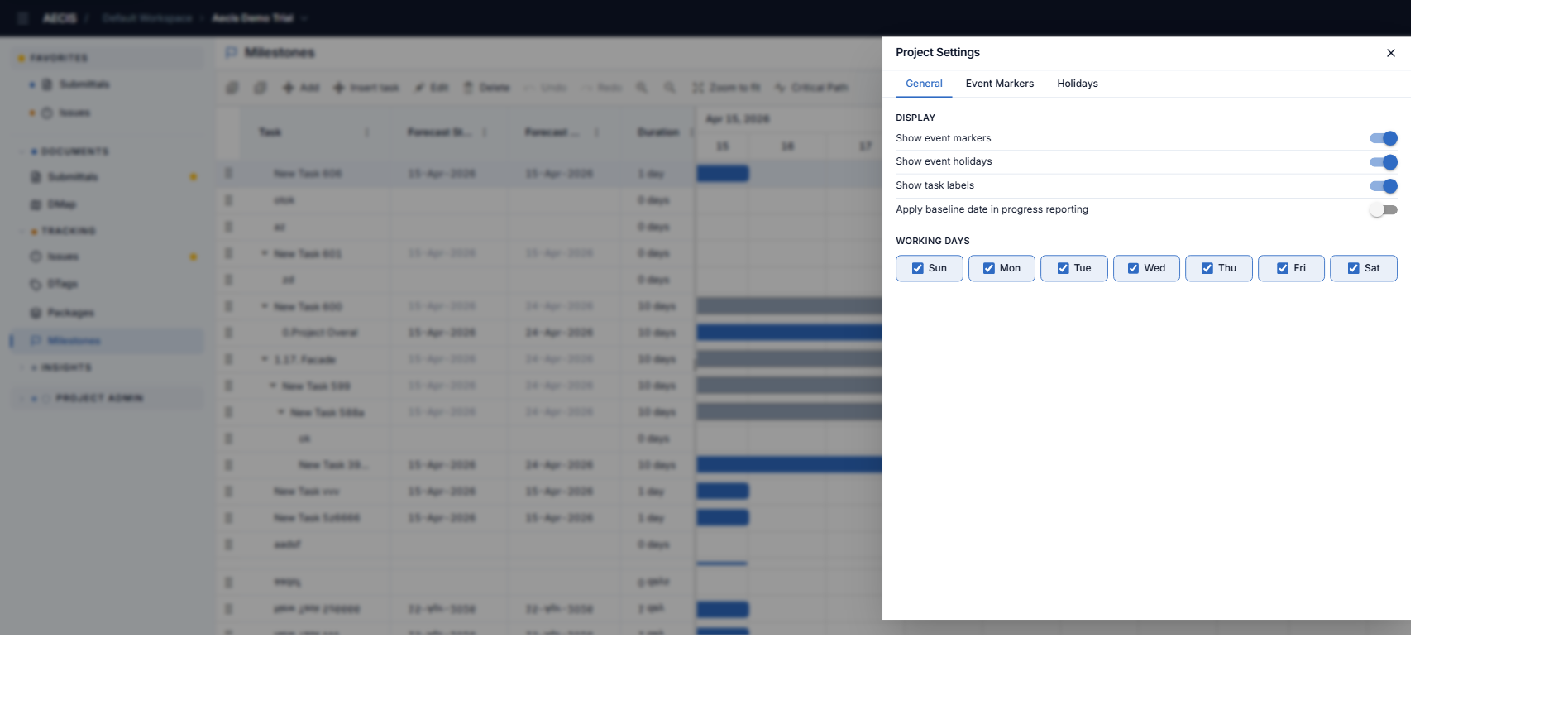
General tab
- Display toggles:
- Show event markers — show/hide the user-defined vertical markers (the Today line is always shown regardless).
- Show event holidays — show/hide the holiday shading.
- Show task labels — show/hide labels on the bars.
- Apply baseline date in progress reporting — render the baseline (Planned) bar beneath each taskbar.
- Working days — tick the days (Sun–Sat) that count as working days; non-working days are shaded on the timeline.
Event Markers tab
Manage the named vertical markers on the timeline — each has a Title and an Event Date.
Holidays tab
Manage non-working date ranges shown shaded on the timeline. Each holiday has a Title (required, up to 200 characters), an optional Description, Start, End, and an All-day toggle. The End must not be before the Start.
note
If saving a holiday fails, the change is rolled back from the calendar and a retry notification appears.
Changes apply to the Gantt immediately.