Milestone Module — Overview
The Milestone module presents the project schedule as a full-height Gantt chart — a split panel with a data grid (the milestone tree) on the left and a timeline chart on the right, comparable to MS Project or Primavera. Users plan and track the schedule, manage the hierarchy and dependencies, follow the critical path, and export to Excel, PDF, or MPP XML.
You will find it in the Tracking group of the navigation sidebar as Milestones.
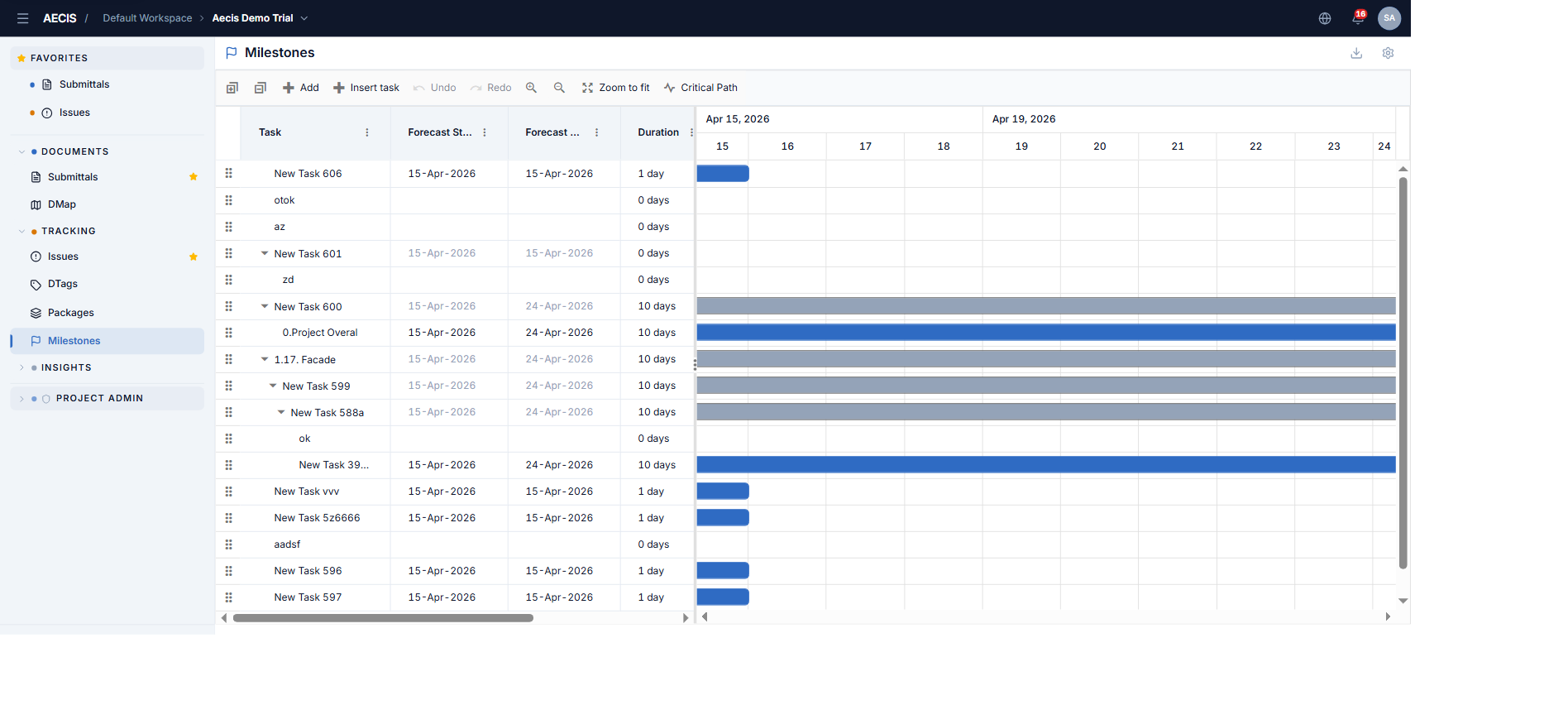
Key concepts
| Term | Meaning |
|---|---|
| Milestone (task) | A node in the schedule tree; parents summarize their children |
| Forecast dates | The live schedule that drives the Gantt taskbars (Forecast Start / End) |
| Baseline (Planned) dates | The original schedule, rendered as a slate bar beneath the taskbar for variance comparison |
| Actual dates | The real start/end recorded as work completes |
| Duration | Task duration in days |
| Progress (%) | Completion 0–100, shown as the taskbar fill |
| Dependency | A predecessor link (FS / SS / FF / SF, optional lag) |
| Critical path | The chain of tasks whose slip pushes the project end date back — highlighted in red |
| Event marker | A named vertical line on the timeline (key date / deadline) |
| Holiday | A non-working date range shaded on the timeline |
| Working week | The set of working days; non-working days are shaded |
Who can do what
Access is governed by three permission levels, granted per role:
| Permission | Grants |
|---|---|
| Read | View the schedule, export, read the settings |
| Write | Add / insert / edit / update milestones, indent-outdent, drag-and-drop reorder, edit settings |
| Delete | Delete milestones |
Administrators and Project Admins hold all three; the Project Manager role has read + write; all other project roles are read-only. Actions you lack are hidden, not just disabled.
Read-only mode
When the project is completed, the module becomes read-only: a "Read-only — project completed" badge appears in the header, the edit toolbar cluster is hidden, and rows cannot be dragged. This is independent of your permissions — either condition alone hides the edit actions.
Screen states
- No permission — a lock icon with guidance to contact your admin.
- Empty project — "No milestones yet".
- Loading error — an error message with a Retry button.