Getting Started
Prerequisites
- You are a member of an AECIS project with at least milestone read access (see Overview).
Open the Milestone module
- Sign in to AECIS and open your project.
- In the left navigation sidebar, expand the TRACKING group.
- Click Milestones.
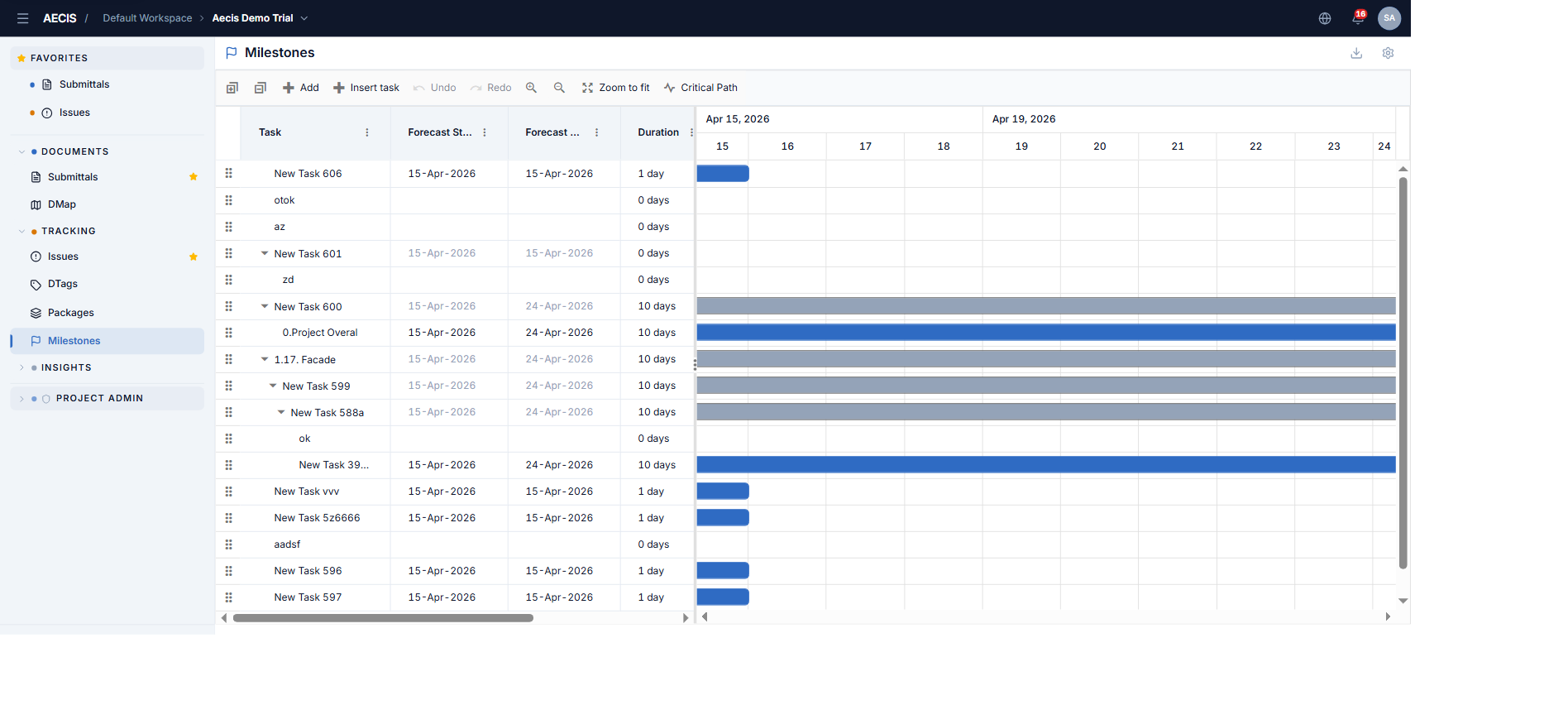
Screen layout
The screen is a single full-height column:
- Page header — the module title, and on the right an Export / Import menu (download icon) and a Setting button (gear icon).
- Gantt area — a split panel: the data grid (milestone tree) on the left and the timeline chart on the right. Drag the splitter to resize the two sides.
- Toolbar — above the grid: Expand all, Collapse all · Add, Insert task, Edit, Update, Delete, Cancel, Indent, Outdent · Undo, Redo, Zoom in, Zoom out, Zoom to fit, Critical Path. Buttons show their keyboard shortcut in the tooltip.