Issue Module — Overview
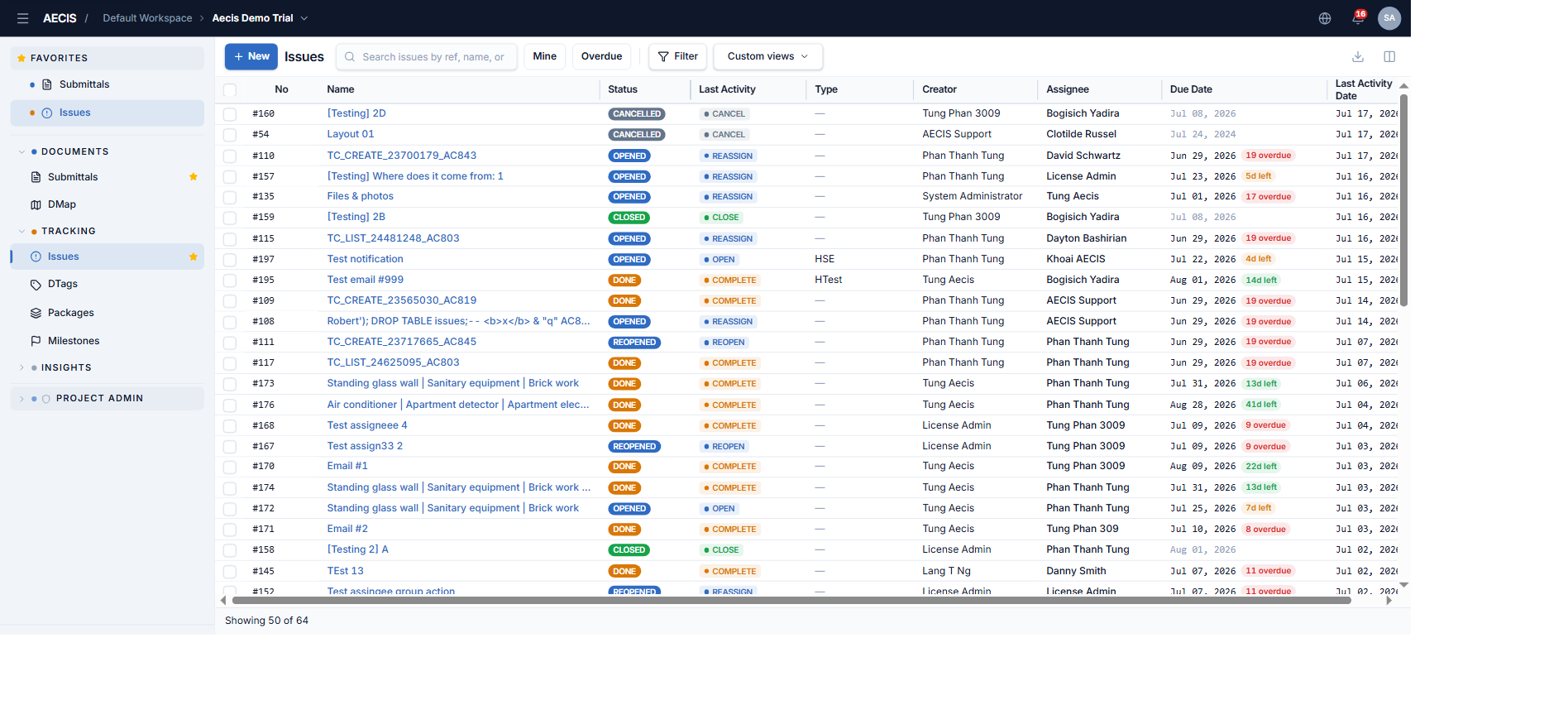
The Issue module lets project members record, assign, track, and resolve issues that arise on site or during construction — for example technical defects, non-conformance reports (NCR), remedial items, or points to watch.
You will find it in the Tracking group of the navigation sidebar, alongside Daily Report and Milestones.
Key concepts
| Term | Meaning |
|---|---|
| Issue | An item to be tracked and resolved within the project |
| Creator | The person who opens the issue |
| Assignee | The person tasked with resolving the issue |
| Resolver | The user who actually performs the resolving action (Complete or a direct Close). May be the assignee, a member of the assignee's group, the creator, or an administrator |
| Stakeholder | The organization / company a user belongs to |
| DTag | A hierarchical tag used to attach an issue to one or more locations/categories in the project structure |
| Distribution | The people who receive email notifications about the issue |
Issue lifecycle
Every issue is always in exactly one of five statuses:
| Status | Meaning | Color |
|---|---|---|
| Opened | Newly created, awaiting resolution | 🔵 Blue |
| Reopened | Previously closed but reopened for further work | 🔵 Blue |
| Done | The work is finished, awaiting the creator's confirmation to close | 🟠 Amber |
| Closed | Confirmed resolved and permanently closed | 🟢 Green |
| Cancelled | Cancelled without resolution — a terminal status | ⬛ Dark slate |
A typical lifecycle: an issue is Opened → the assignee Updates progress and/or marks it Complete (→ Done) → the creator Closes it (→ Closed). At any time before closing, the issue can be Cancelled or Reassigned. After it is done, closed, or cancelled, the creator can Reopen it.
Overdue indicator
An issue is flagged Overdue when its due date has passed and the issue is not yet Done, Closed, or Cancelled. The indicator is computed automatically at render time and shows the number of days late (for example "3 days overdue"). Closed or cancelled issues are never overdue.
Who does what
- Creator group — the person who created the issue, plus users in the same stakeholder organization as the creator. Typically closes, cancels, or reopens issues.
- Assignee group — the assigned person, plus users in the same stakeholder as the assignee. Typically completes, updates, or reassigns issues.
- Administrator — can perform any action in any status.
See Workflow Actions for the full permission matrix.