Managing the Tree
Prerequisites: DTag management rights on the project.
Add a DTag
-
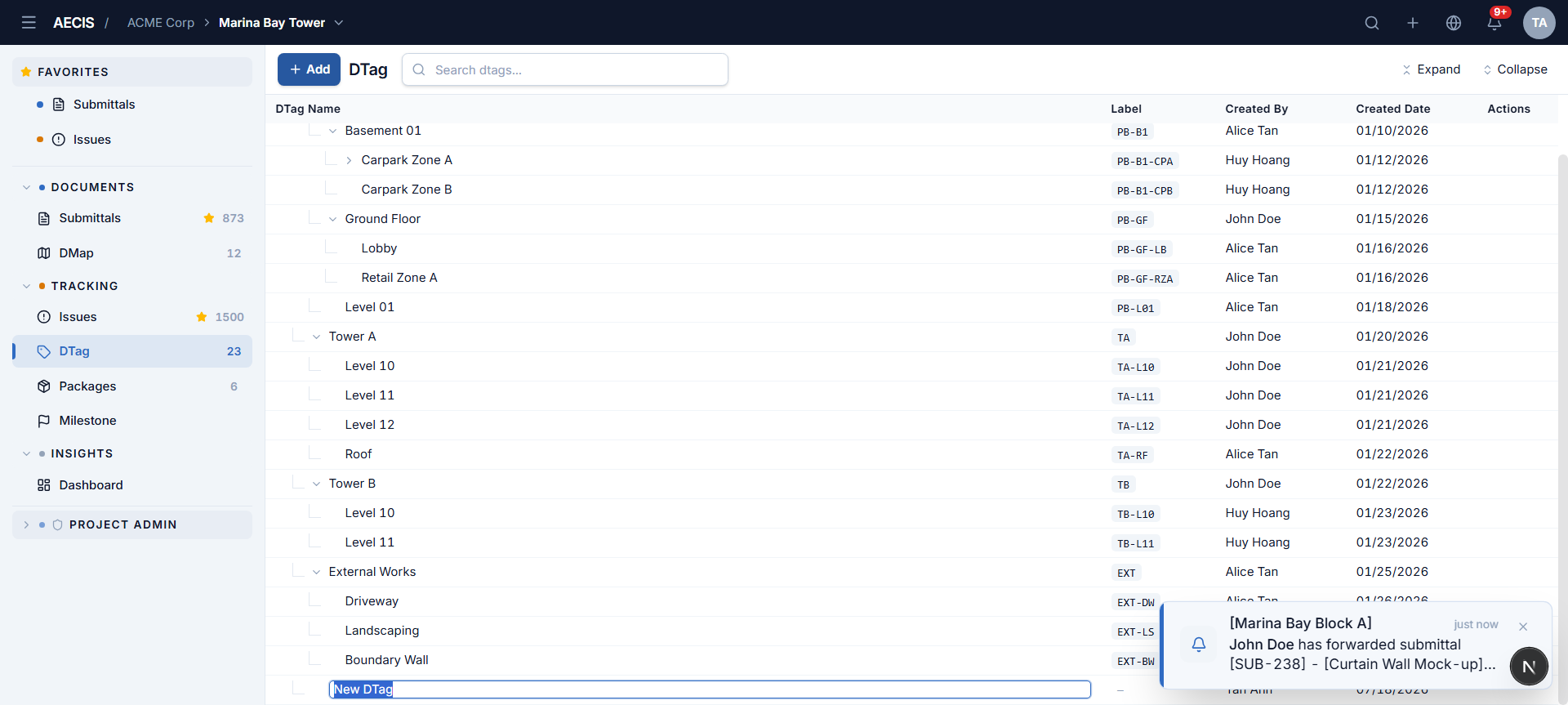
Root level — click + Add in the toolbar. An inline input appears at the bottom of the tree; type the name and press Enter to save (Esc cancels).
-
Anywhere in the tree — hover a row and use:
- the + button to add a child quickly, or
- the ⋯ menu for precise placement:
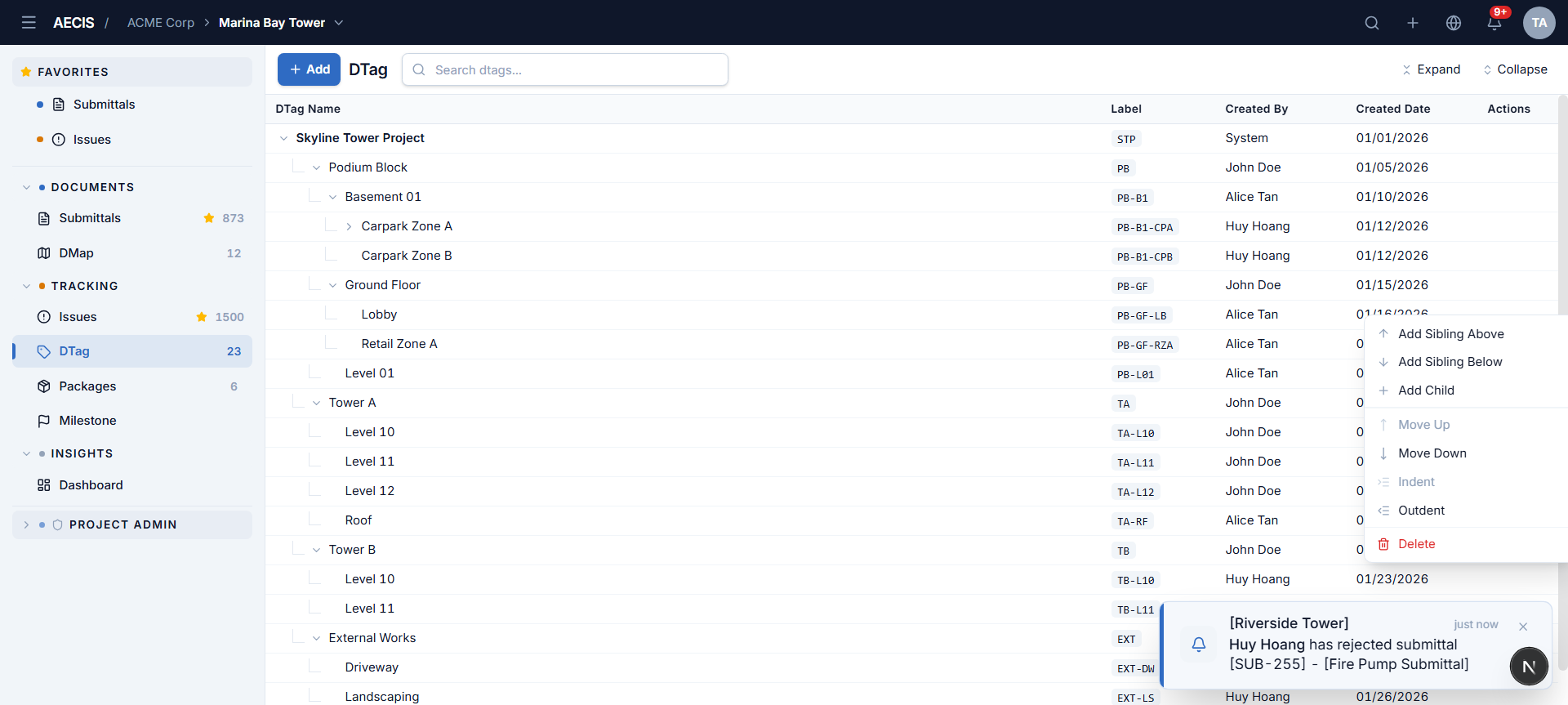
Menu item Result Add Sibling Above / Below New node at the same level, before/after this row Add Child New node one level under this row
Rename a DTag
Double-click a node's name to switch it to an inline input — Enter saves, Esc cancels.
Restructure
From the row's ⋯ menu:
- Move Up / Move Down — reorder the node among its siblings.
- Indent — make the node a child of the sibling above it.
- Outdent — promote the node one level up.
Options that don't apply to the current position (e.g. Move Up on a first child) are disabled.
Delete a DTag
Choose Delete in the row's ⋯ menu and confirm in the dialog.
warning
Deleting a parent node removes its whole subtree. Records that were tagged with the deleted nodes lose those tags.